
Checked 10 October 2026
Recipes: Unlocks, Ingredients & Stations
Find recipes in the phone shop and distinguish ingredient locks from station requirements.
Start with this
Check Recipes, then Groceries and the required station. The rebuilt Demo lets you make a recipe once obtained; random combination guessing belongs to an older workflow.
A practical checklist
Follow current prompts. These checkpoints are operating advice.
Find the recipe first
Open the phone shop’s Recipes tab and obtain an available recipe.
- Success check
- The recipe record is available with its preparation instructions.
- If it remains unclear
- Read its unlock condition; do not use old ingredient-guessing instructions.
Read the supporting evidence
§Find the recipe first#
Official reference.
Select Recipes in the phone shop and read availability in your save. Obtain the recipe and use its own ingredient instructions. The September rebuild removed the earlier ingredient-guessing workflow.
The full-game store lists 49 recipes and three kinds of drink-making station. It supplies no complete quantity or unlock chart. This page therefore gives an acquisition checklist instead of an invented 49-item list.
Check ingredient access and physical stock
Compare the recipe with Groceries and bring delivered stock to preparation.
- Success check
- Required groceries are unlocked and supplies are physically present.
- If it remains unclear
- Check Required Cafe Lv. and the delivery area separately.
Read the supporting evidence
§Check ingredient access and physical stock#
Official reference.
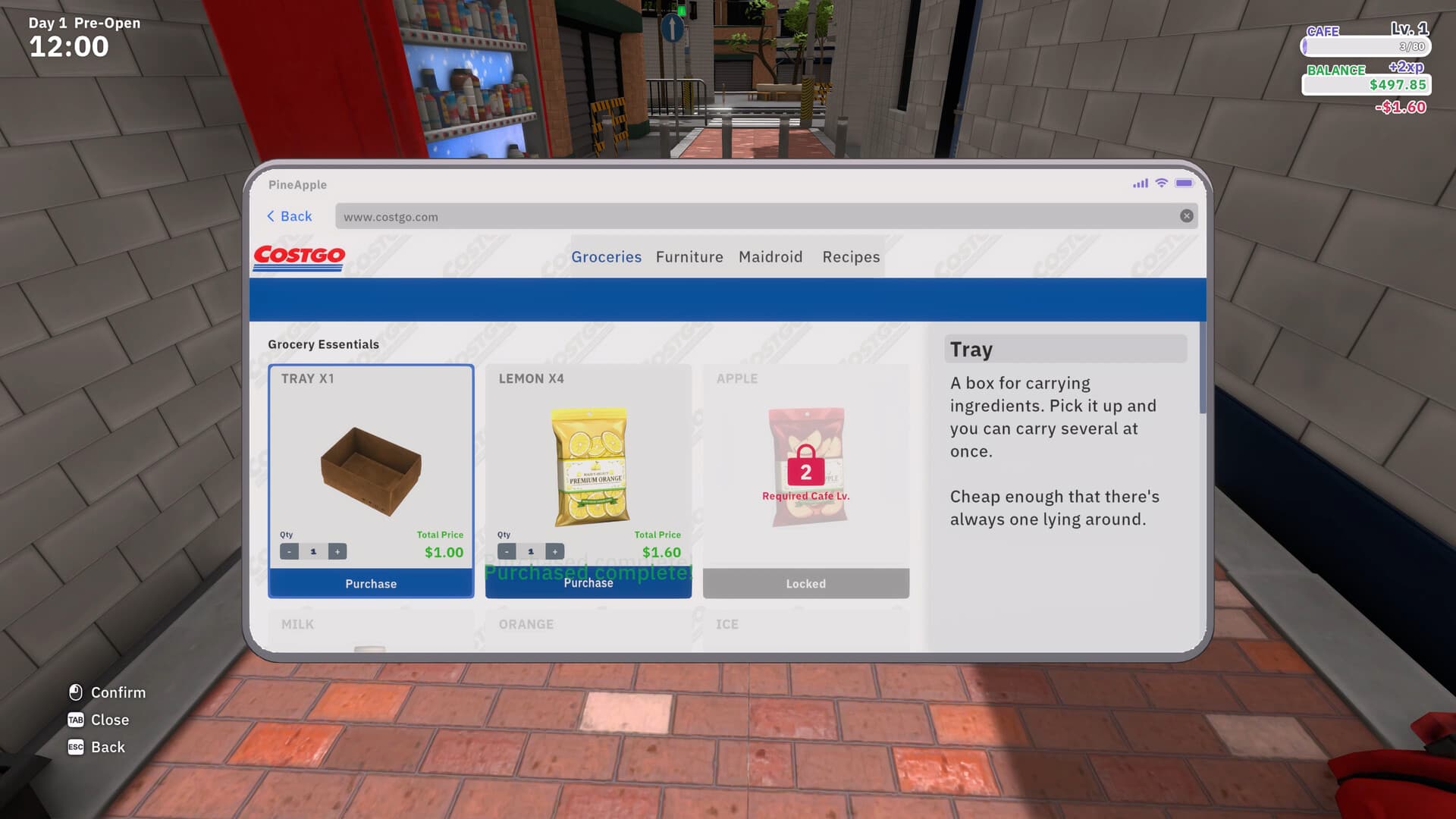
Compare the recipe with Groceries. An official shop screenshot shows Apple requiring Cafe Level 2. This is one visible example; it does not mean every drink unlocks at that level.
Buy the listed ingredients, check deliveries and bring them to the station. If a grocery remains locked, follow its displayed cafe-level requirement instead of repeatedly testing combinations.
Use the station the recipe requires
Match the recipe with its station and follow the displayed interaction prompts.
- Success check
- The specified equipment is available and preparation can complete.
- If it remains unclear
- Inspect equipment unlocks; do not infer controls from a different station.
Read the supporting evidence
§Use the station the recipe requires#
Official reference.
The September Demo update introduced the Shaker. Launch material also mentions the brewer and later professional stations. Match the recipe’s station requirement to available equipment.
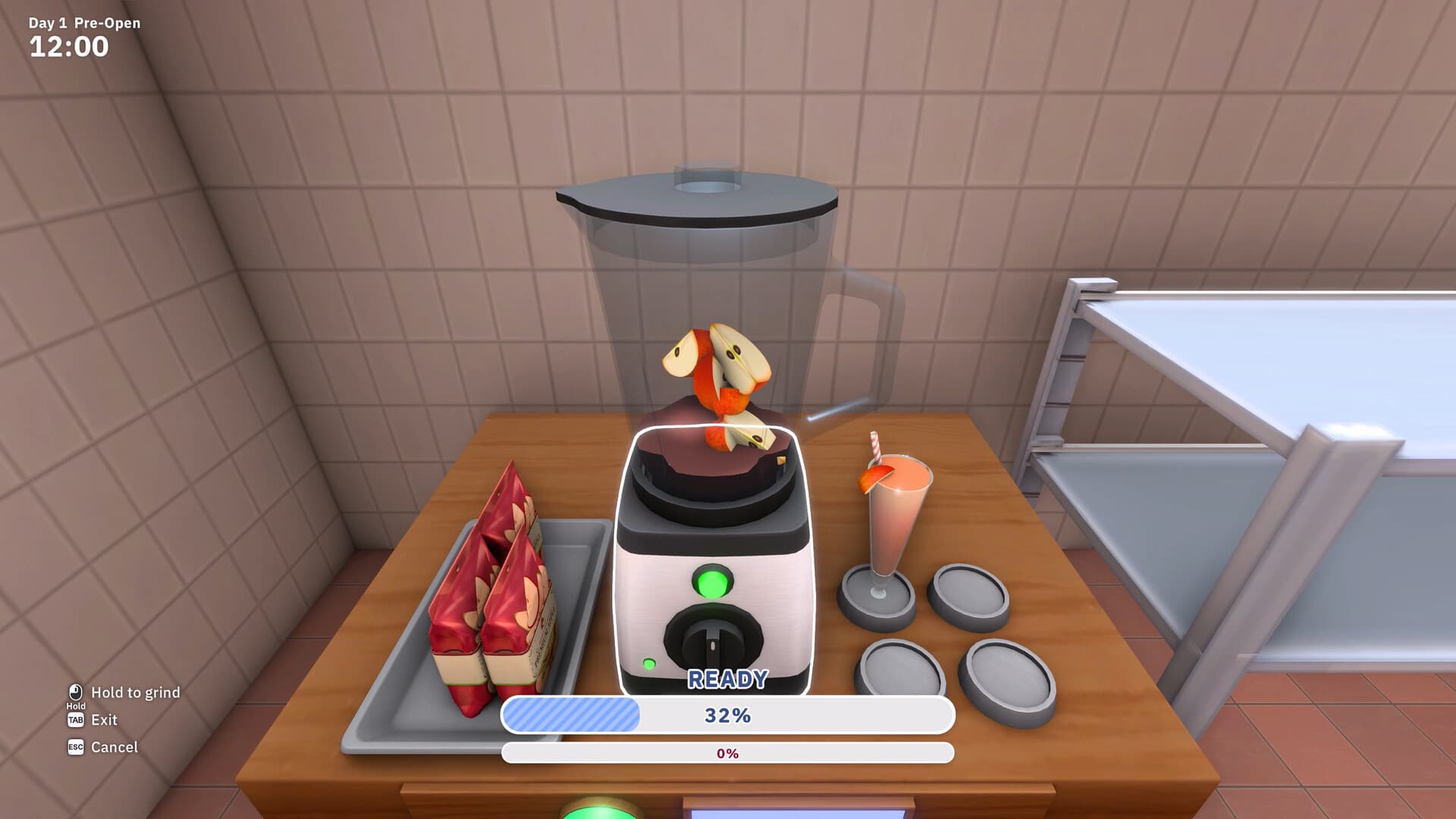
The blender screenshot shows holding an input to grind. Use the visible prompts at each station; the still image does not prove a shaker or brewer control sequence.
More detail
2 sections§Diagnose a drink you cannot make#
Official reference.
Check recipe, ingredient access, delivery, equipment and preparation completion in that order.
On small screens, swipe the table to compare all columns.
| What you see | Check | Next action |
|---|---|---|
| Recipe missing | Recipes and unlock prompt | Complete the displayed requirement. |
| Grocery locked | Required Cafe Lv. | Reach the displayed level. |
| Bought stock is absent | Delivery area | Move supplies to the station. |
| Wrong station available | Recipe equipment requirement | Check equipment unlock. |
| Drink unfinished | Preparation meter | Complete the interaction. |
§Read the festival menu when orders change#
Official reference.
Launch notes describe 13 rotating festivals that change customers and orders; the store describes festival drinks. Inspect the active menu and stock its displayed ingredients. A complete calendar and festival recipe chart remain unverified.
Scope and sources
Unlock workflow only. All 49 combinations, quantities and recipe unlock levels remain unverified.
- Unlock workflow only. All 49 combinations, quantities and recipe unlock levels remain unverified.