
Checked 10 October 2026
Beginner Guide: Your First Shift
Prepare ingredients, make drinks, finish checkout and restock with a repeatable service routine.
Start with this
Before opening, check a usable recipe and stock. During service, finish orders and payment. Replenish ingredients through the phone.
A practical checklist
Follow current prompts. These checkpoints are operating advice.
Prepare a menu you can supply
Open Recipes and Groceries, choose a usable drink and move its delivered ingredients to the station.
- Success check
- The selected recipe, required ingredients and usable station are all available.
- If it remains unclear
- Read the grocery lock or recipe requirement; see the recipe guide before opening.
Read the supporting evidence
§Prepare a menu you can supply#
Official reference.
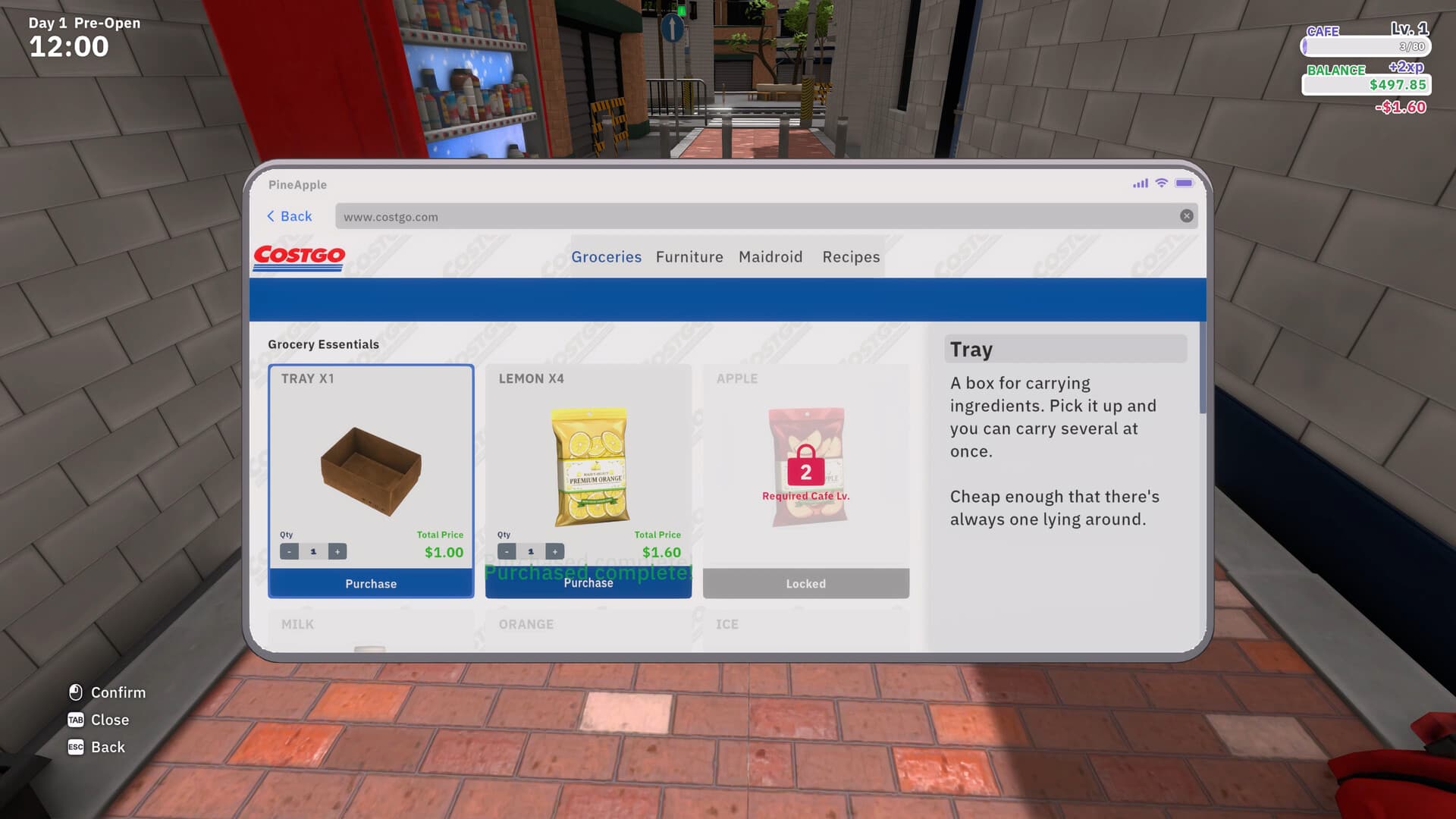
Open the phone shop and inspect Recipes and Groceries. Recipe access and ingredient access are separate checks. Choose an available drink and buy its listed supplies. Keep some cash for restocking instead of spending your whole balance on furniture.
The official shop screenshot shows grocery level locks and a tray for carrying several ingredients together. Bring stock to the preparation area before starting a busy shift.
Make the drink and finish the order
Read the order and complete the matching station’s preparation prompt before serving.
- Success check
- The preparation meter finishes and the drink matches the customer’s order.
- If it remains unclear
- Check the required station and physical ingredients. A purchased item may still be outside.
Read the supporting evidence
§Make the drink and finish the order#
Official reference.
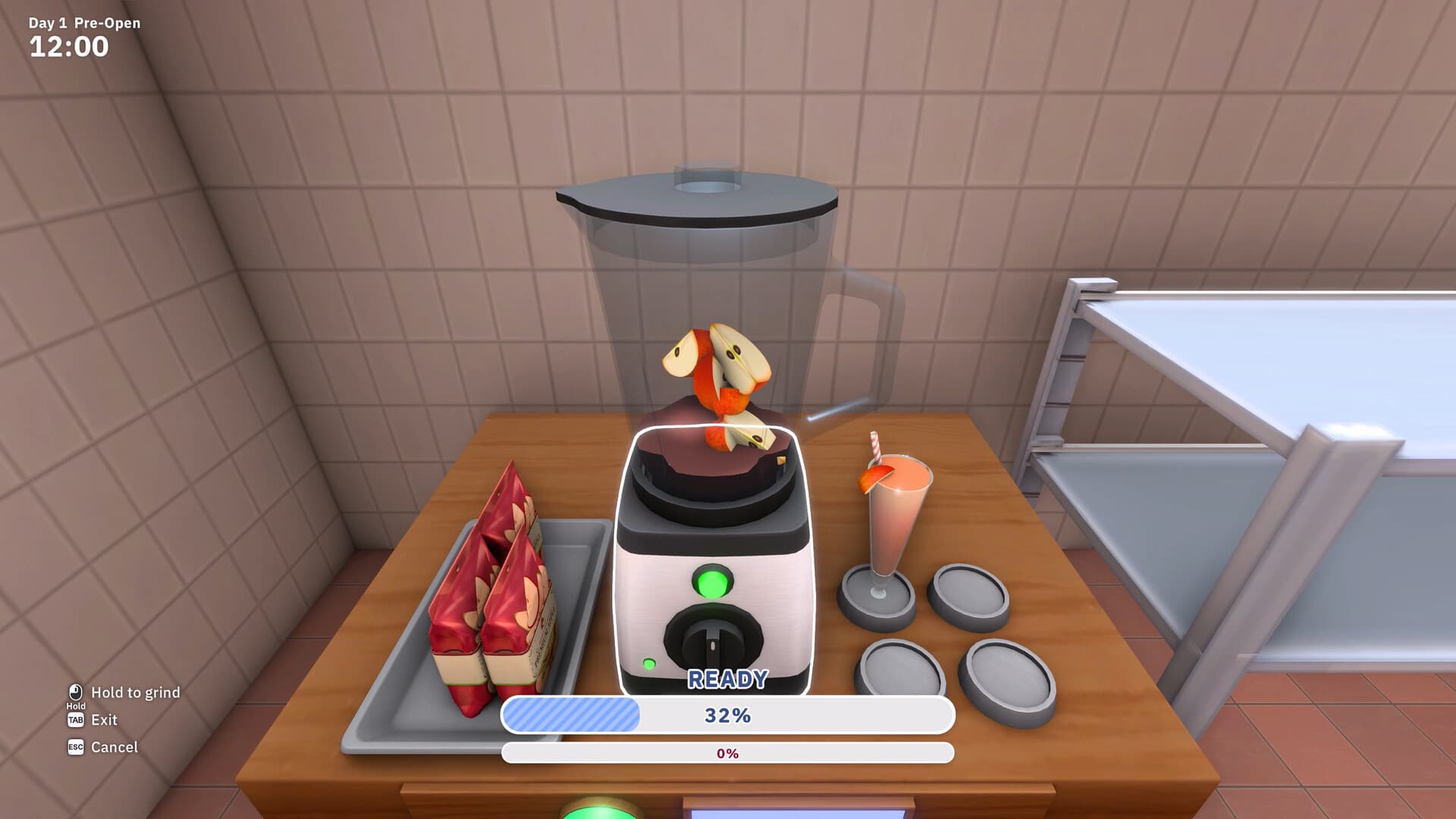
Read the customer order and use its drink-making station. Follow the visible interaction prompts and finish preparation before serving. Treat a missing ingredient as a stock issue and a missing recipe as an unlock issue.
The official blender screenshot shows a hold-to-grind input and progress meter. Wait for completion. This still image does not establish every station’s controls or a universal timing rule.
Complete payment before moving on
Complete the receipt and change prompts at checkout.
- Success check
- The customer’s payment step completes and the queue moves.
- If it remains unclear
- Inspect the current register prompt. Older Demo videos use a different workflow.
Read the supporting evidence
§Complete payment before moving on#
Official reference.
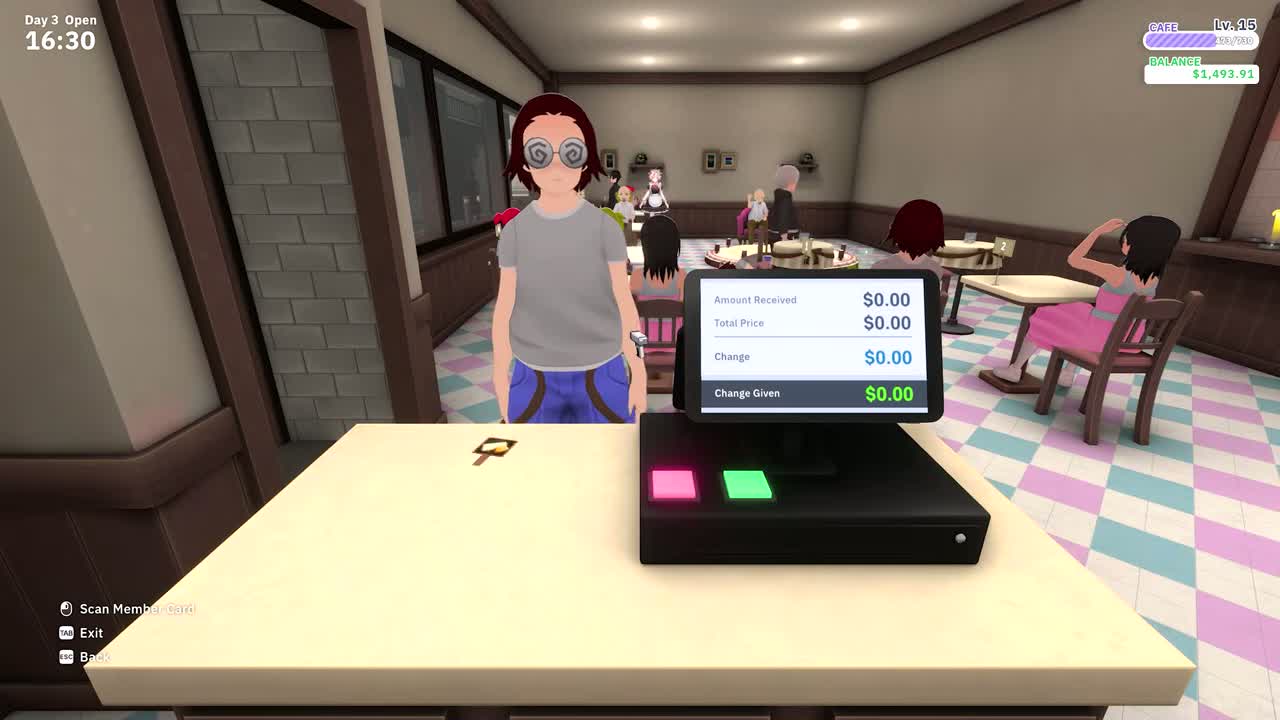
The current loop includes receipt scanning and counting change. Confirm the payment prompt before assuming the order is complete. If customers wait at checkout, help there before adding more seating.
The September Demo rebuild changed the register to barcode scanning. Older footage may show an earlier payment workflow.
At 00:00:52 in the current release trailer, the register visibly separates Amount Received, Total Price, Change and Change Given. This supports checking the payment display; the frame does not establish the whole scanning sequence.
More detail
2 sections§Replenish before the next rush#
Official reference.
Order ingredients on the phone. Official material describes a Maidroid courier bringing them to the door. Check the delivery area, move stock to your stations and inspect shop descriptions and bill alerts before more spending.
Operating suggestion: note the first ingredient to run out and the place where customers wait longest. Use those observations for the next grocery order and upgrade.
§Share the workload and make time for bonds#
Official reference.
Official material allows sharing the workload with maids. Watch preparation, delivery and checkout separately. Check stock and equipment before paying for a speed upgrade.
Before or after hours, follow wishes and conversations. Work efficiency and bond-story progress are separate goals. Yuki’s official stat screen also connects her checkout trait with stamina.

Scope and sources
Official facts are separated from operating suggestions. Read exact prices and requirements in your own save.
- Official facts are separated from operating suggestions. Read exact prices and requirements in your own save.